Build a Bank Vehicles & Garage Guide
Raise vehicle stars, automate deliveries, and unlock the supplier lots that feed late-game commodities.
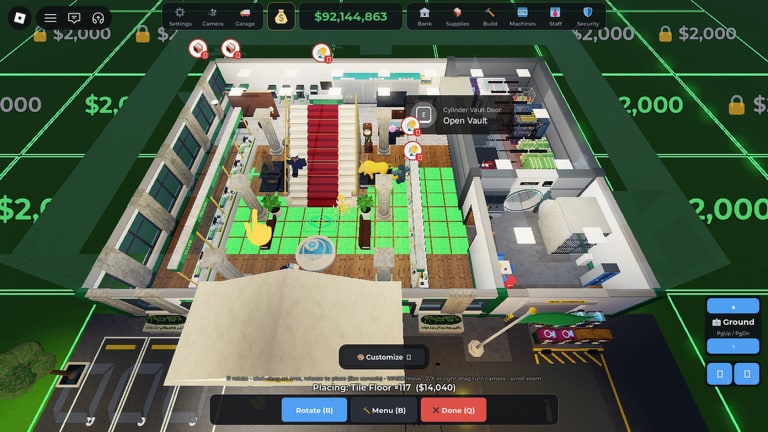
Your Harbor City bank only prints money as fast as supplies arrive. In Build a Bank, the Garage and vehicle star ratings gate which Federal Reserve and specialty pickup lots you can clear. This guide covers the starter 1-star Courier Van, how 1-to-4 star security tiers unlock better routes, Delivery Driver automation, crate capacity upgrades, and the OG Caddy game pass for bigger hauls.
Read this after Getting Started once a Vault Runner exists to receive what your fleet brings home. For what to haul first, keep the Money Guide open beside the Garage UI.
Starter fleet reality check
Every new save includes a 1-star Courier Van. That van is enough for early Cash Bundle and Penny Roll loops. It is not enough forever. Higher-tier commodities and certain supplier locations demand higher star vehicles. If an order refuses to complete or a lot stays locked, check Garage stars before blaming the Federal Reserve.
Treat the Courier Van as your tutorial truck: learn the dock → vault rhythm, then reinvest profits into Garage upgrades instead of lobby marble.
Understanding 1–4 star vehicle tiers
Vehicle stars function like a security clearance for cargo.
| Stars | Role in progression |
|---|---|
| 1★ | Starter Courier Van; basic Federal Reserve staples |
| 2★ | Mid supplies and safer routes as desks expand |
| 3★ | Higher-value pickups feeding specialized stations |
| 4★ | Top supplier lots for late flat-profit goods |
Exact lot gates shift with updates, but the rule is stable: raise stars before you plan a business around locked cargo. Buying a Mortgage Office without a fleet that can fetch Mansion Deed inputs wastes payroll.
Upgrade path mindset:
- Stabilize Cash Bundle sales.
- Expand Cash Racks so returning crates have shelves.
- Spend into Garage stars when orders stall on vehicle requirements.
- Only then schedule Boat Titles / Mansion Deeds from the money guide.
Delivery Driver automation
Manual driving teaches the map; Delivery Driver staff automate the boring miles. Hire a Delivery Driver when:
- You are spending more time ferrying crates than placing desks.
- Multiple supply orders queue while you are stuck in Build Mode.
- Friend boost or 2x code windows demand continuous inbound freight.
Automation still fails if the Loading Dock is buried in unprocessed crates. A Driver plus no Vault Runner recreates the empty-teller problem at larger scale. Always fund dock clearing before funding more trucks.
Check Staff Roles for wage context when adding Drivers beside Guards and Tellers so payroll stays honest.
Crate capacity and the OG Caddy
Throughput is stars and capacity. Hand Truck style upgrades and higher-capacity vehicles move more crates per trip, which matters when 2x timers are ticking. The OG Caddy pass (premium) is built for players who want larger crate hauls and Founders-era flex without waiting on slow starter capacity. It is optional—free progression works—but it shines during code windows and Private Equity cash-in sessions when every minute of freight counts.
If you buy OG Caddy, immediately expand vault racks. A bigger truck dumping into a tiny vault recreates Snatch & Grab buffet conditions on the dock.
Garage workflow each session
- Open Garage / Building Hub vehicle panels and note current stars.
- Compare pending Store Inventory orders against star requirements.
- Assign Courier Van or upgraded vehicles to legal lots only.
- Confirm Delivery Driver status if you will AFK in Build Mode.
- Watch Loading Dock cameras after big drops; dispatch Vault Runners.
- During Money Guide boost windows, pre-clear vault space, then chain eligible pickups.
How vehicles connect to every other system
- Money — Stars unlock the SKUs that move you from 4x ROI staples to +$19k Mansion Deeds.
- Vault — Faster trucks demand more Cash Racks and clean Safe Deposit layouts so pathing survives busy docks.
- Security — Fat docks attract Snatch & Grab; camera the unload zone whenever you raise capacity.
- Staff — Drivers, Vault Runners, and Guards form a logistics triangle; hiring only Drivers is incomplete.
Common fleet mistakes
Chasing 4★ before desks exist. Stars without New Accounts or Mortgage stations just park expensive metal. Ignoring dock overflow after upgrades. Bigger vans amplify theft risk. Driving everything personally forever. Your time is better spent on vault and security once Delivery Drivers are affordable. Redeeming long 2x codes with a 1★ bottleneck. Boost a fleet that can actually finish the orders you place.
Vehicles checklist
- Know your current Garage star rating.
- Match orders to stars before spending supply cash.
- Keep Vault Runner online for every return trip.
- Add Delivery Driver when manual hauls block building.
- Expand racks the same day you expand capacity.
- Camera the Loading Dock after fleet upgrades.
- Use OG Caddy only if racks and security can absorb bigger drops.
Master the Garage and Harbor City stops feeling supply-starved. The banks that scale are the banks whose trucks, runners, and racks share one schedule.
Frequently Asked Questions
Quick answers for Harbor City bank owners.
What vehicle do I start with in Build a Bank?
Every new Harbor City save includes a 1-star Courier Van suitable for early Federal Reserve staples like Cash Bundles.
Why can’t I complete some supply pickups?
Many lots require higher vehicle star ratings. Upgrade Garage stars from 1★ toward 4★ to unlock advanced supplier routes.
What does a Delivery Driver do?
Delivery Drivers automate supply runs so you can stay in Build Mode or manage the lobby while crates keep arriving at the Loading Dock.
Is the OG Caddy worth it?
OG Caddy is a premium pass that increases crate haul capacity. It helps most during 2x windows if your vault racks and security can handle bigger drops.
Should I upgrade vehicles or vault racks first?
Keep enough Cash Racks to absorb current orders first. Raise vehicle stars when lots lock behind star gates or when desks demand higher-tier cargo.